Backup and restore
Your book lives on your device and in your own iCloud. Backups are separate copies you can go back to — in iCloud Drive with Pro, or as a single file you keep yourself.
Sync is not a backup
When the device is signed into iCloud, the book syncs between your devices, and Settings → Data → iCloud sync says On. Sync carries the latest book only. It keeps no history, and it does not carry document scans.
Backups with Pro
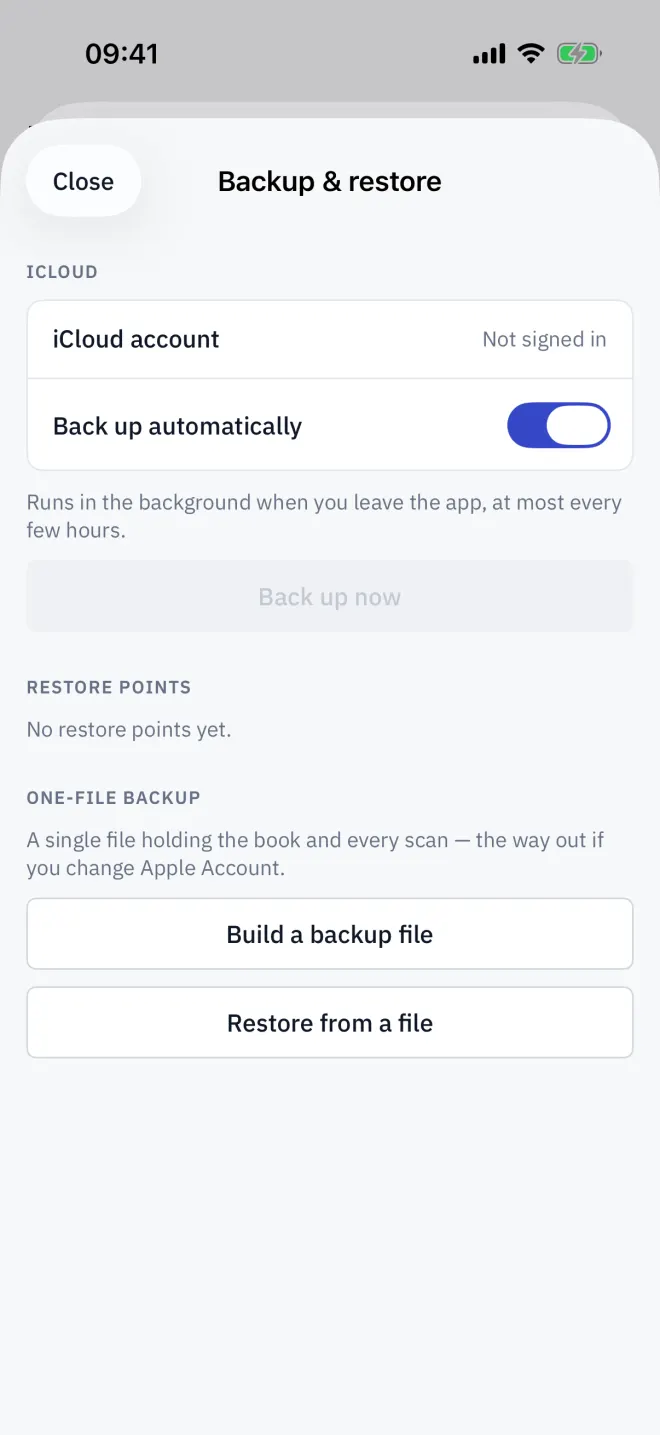
Open Settings → Data → Backup & restore. With Pro, Back up automatically is on: Letnook backs up to your iCloud Drive when you leave the app, at most every few hours. Back up now makes a backup straight away. The last 10 are kept as Restore points, each showing how many spaces and documents it holds.
One-file backup, free
Build a backup file makes one file holding the book and every scan. Tap Share the backup file to save it to Files, mail it or AirDrop it. It is the way out if you change Apple Account.
Restore
-
1Choose
Pick the copy
Tap a restore point, or Restore from a file and choose a backup file.
-
2Confirm
Confirm
Letnook asks Restore this backup?. Everything currently on this device is replaced by the backup.
-
3Check
Check the book
After Restored from backup, look at the plan and a few bills. The restored book becomes the newest copy and syncs to your other devices.
Read next
The Excel export
With Letnook Pro, Settings → Data → Build a workbook exports the book as an .xlsx workbook: spaces, bills, history, periods, past tenants and receivables.
NextFree, Pro and the subscription
Letnook is free for up to 25 spaces. Pro adds unlimited spaces, versioned iCloud backups and Excel export, monthly or yearly; prices are shown in the App Store.
NextTroubleshooting
Fixes for common Letnook problems: a space stuck on Not billed yet, a greyed payment method, a slip that will not read, a period that will not close, sync and restore.