Closing the period
A period stays open until you close it. Closing seals this month's bills, keeps anything unpaid as arrears, and opens the next month.
The Overview tab
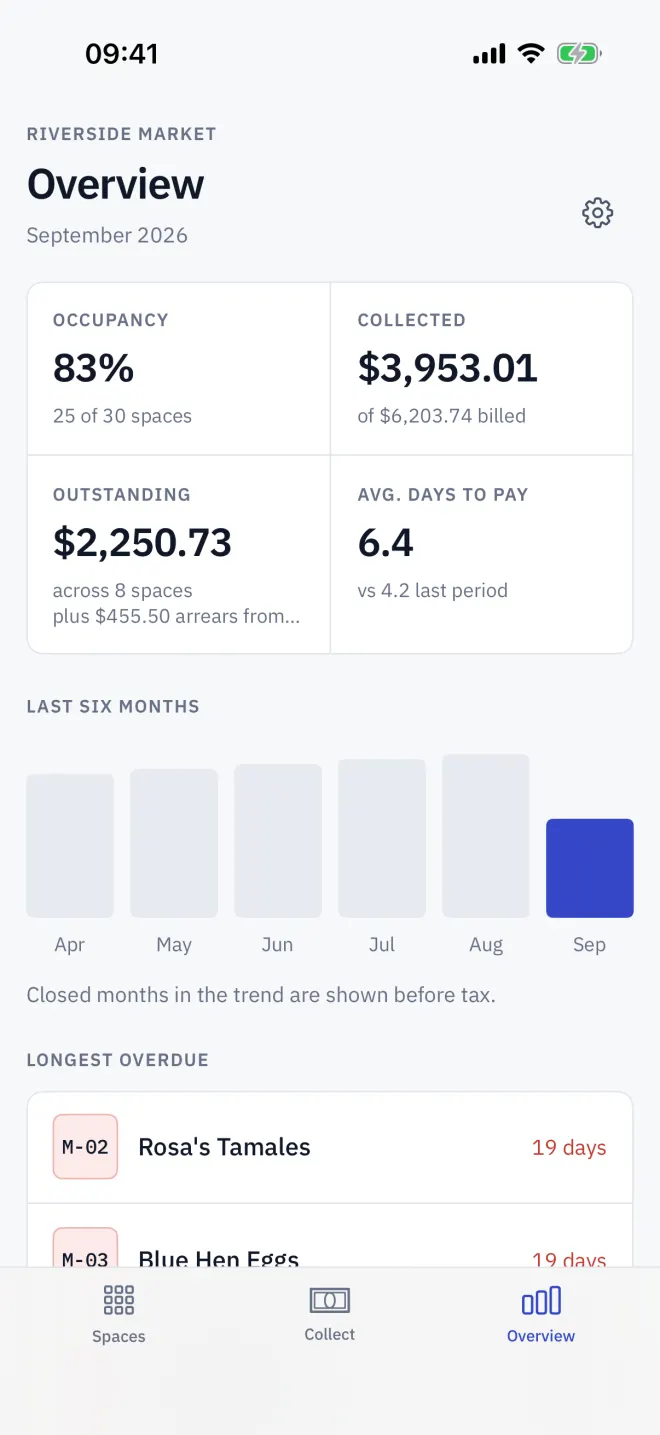
Overview shows the period in figures: Occupancy, Collected of what was billed, Outstanding, and Avg. days to pay. Below are a Last six months chart of what was collected and the spaces Longest overdue.
Before you close
- Record every reading and turnover: a let space that is Not billed yet blocks the close.
- Record the payments and slips that arrived.
- Look at what is still due and overdue — it will become arrears.
- Back up first if you want a copy of the period as it stands.
Close it
-
1Open
Open the Billing cycle panel
On Overview, scroll to Billing cycle and tap Close the period.
-
2Read
Read the warning
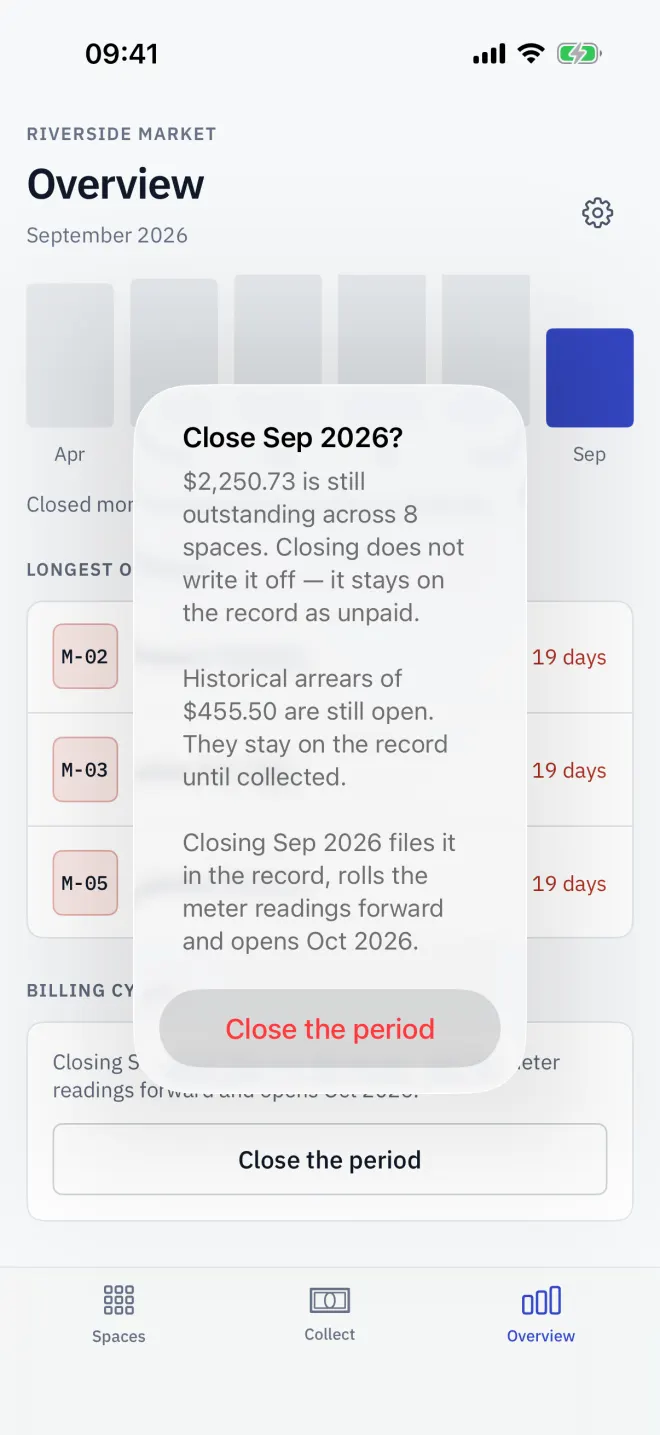
The confirmation says how much is still outstanding and across how many spaces, and any older arrears still open. Nothing is written off.
-
3Confirm
Confirm
Tap Close the period. Letnook says Period closed and the next month opens.
What closing does
- Seals each let space's bill into its history.
- Turns every unpaid complete bill into arrears.
- Rolls meter readings forward and clears declared turnover.
- Clears one-off late fees and discounts.
- Starts every space unpaid in the new period; rents and other fixed lines carry over.
Read next
Arrears from earlier periods
When a Letnook period is closed, unpaid bills become arrears. See them on Collect and on the space, collect them in full, or settle them from the deposit.
NextBill history
Every closed Letnook period leaves a sealed bill on each space. Open it from Recent activity, share it, and rely on it not changing when rents or tax change.
NextBackup and restore
Letnook syncs through your iCloud. Pro adds automatic iCloud Drive backups with 10 restore points; anyone can build a one-file backup and restore from it.